Instagram Download Slow? Use VIP Fast Download
Use VIP Fast Download for a Reel or video, and VIP Fast Package Download for an eligible Instagram carousel.
Instagram Download Slow? Use VIP Fast Download
Instagram posts do not all download the same way: a Reel is usually one video, while a carousel may contain several photos or videos. If a public post is taking time, parse it with TapSave first. Eligible VIP members can then use VIP Fast Download for a single media item or VIP Fast Package Download to keep a carousel together.
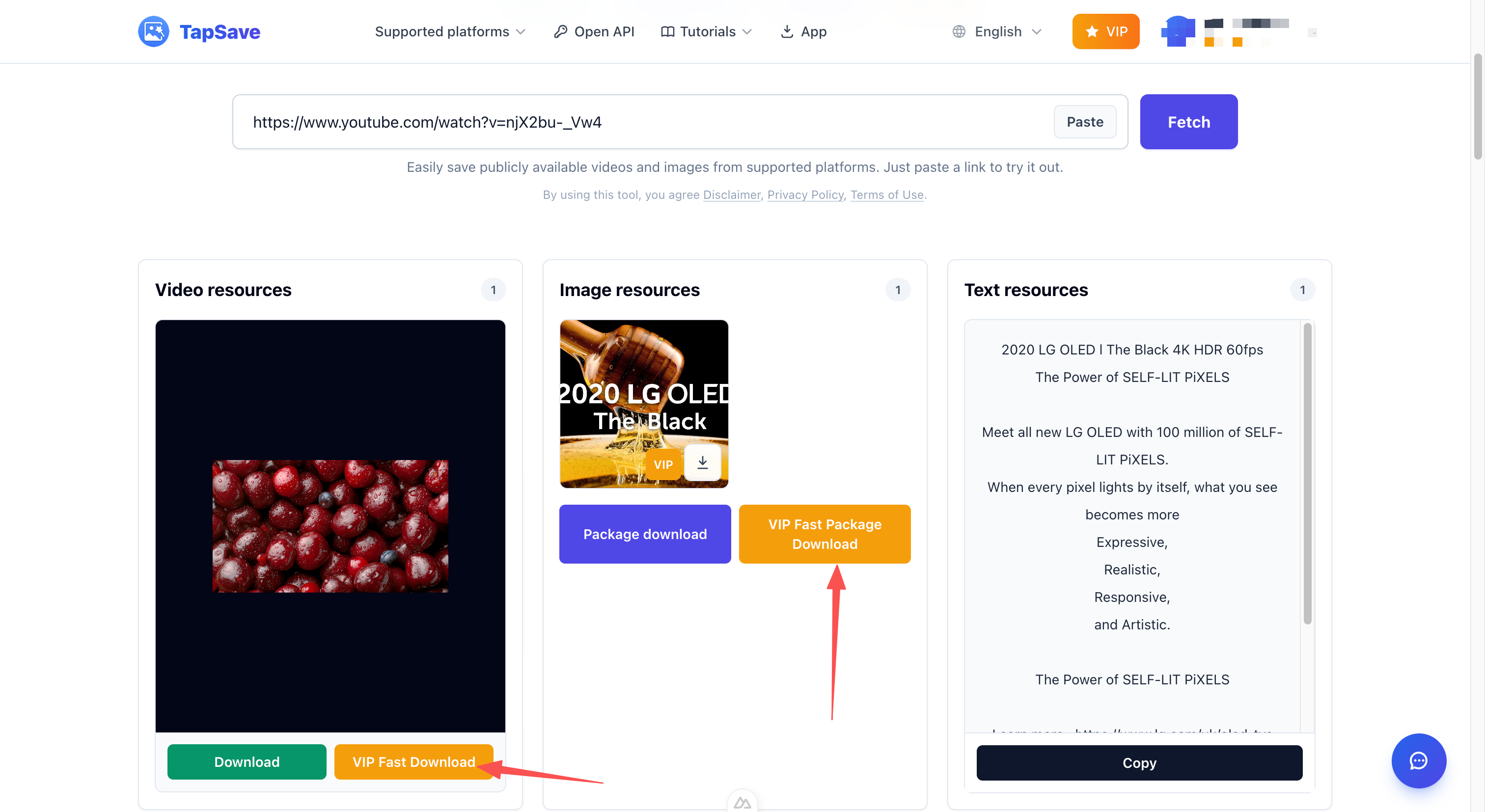
Pick the button by post type
- Reel or one video: choose VIP Fast Download on that resource.
- Carousel or several images: choose VIP Fast Package Download next to the package action.
Steps
- Copy the public post, Reel, or carousel link.
- Open TapSave Instagram Downloader, paste the URL, and select Fetch.
- Check whether the result is one item or a gallery.
- Select the matching VIP button and save the browser download.
VIP features require an eligible VIP account. Only save content you are allowed to use.
Continue with TapSave
Open the matching downloader or continue with a related browser tool.
More Tutorials
Instagram Reels, videos and photos Open API Integration Guide
Use the TapSave Open API to parse a public Instagram Reels, videos and photos link and handle the returned media resources in your application.
InstagramHow to Download Instagram Photos and HD Videos Free (No Watermark)
Save the photos, Reels and carousel items returned for a public Instagram post. Available files depend on the current parse result.
InstagramHow to Save Instagram Photos, Videos and Reels
Save public Instagram photos, videos, Reels and carousel items without logging in. Available files depend on the parsing result.
TutorialDouyin Download Slow? Use VIP Fast Download
Use VIP Fast Download for an eligible Douyin video or VIP Fast Package Download for a photo collection.